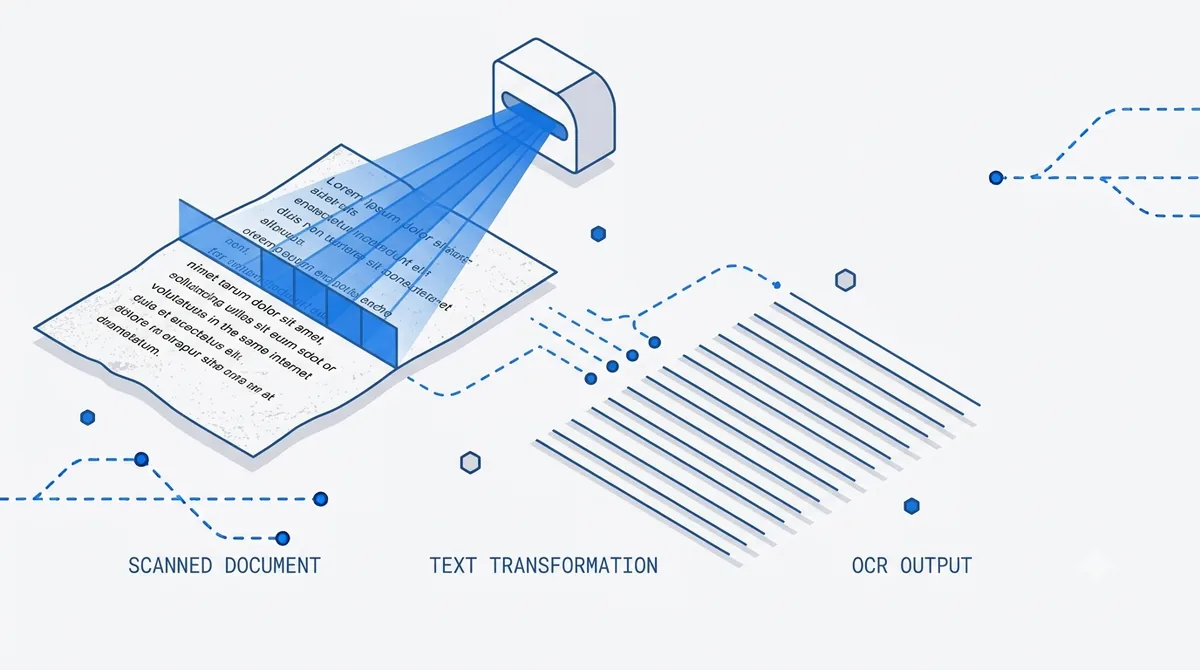
A huge share of the world’s documents are, technically, just pictures. A scanned contract, a faxed medical form, a photographed page from a book, an old report that was printed and re-digitized — to a computer, these are images with no text inside. You can’t select a word, search for a phrase, or ask an AI a question about them. Not until the text is recovered.
That recovery step is OCR: optical character recognition. This post covers how AI-assisted OCR turns image-only PDFs into text you can search, summarize, and question — and why “recognizing characters” is only half the job.
What “image-only” actually means
A digital PDF exported from Word or a browser contains a real text layer: the characters are stored as data, so search and copy just work. A scanned PDF is different. Each page is a flat image — a photo of text — with no underlying characters at all.
That’s why searching a scanned document returns nothing even though you can clearly read it on screen. There’s simply no text for the search to match. To convert scanned files to text, an image pdf text extractor has to look at the pixels and figure out which shapes are which letters. That’s OCR.
OCR is more than recognizing letters
Naive OCR reads left to right, top to bottom, and hands back a wall of text. That’s fine for a single column of plain prose and useless for almost everything else. Real documents have structure: two-column layouts, tables, headers, footnotes, sidebars, captions.
Good OCR does three things, in order:
- Recognize the characters accurately, including across languages and mixed scripts. PDFLove AI’s ai ocr pdf reader supports 90+ languages, so a report with English body text and, say, tables labeled in another language comes through intact.
- Recover the layout. Detect columns, tables, and reading order so the text comes out in the sequence a human would actually read it — not interleaved across columns.
- Re-flow into clean text that can be chunked, searched, and fed to an AI. This is what makes a genuine intelligent ocr pdf tool rather than a character dump.
Get the layout wrong and everything downstream suffers: a summary built from scrambled text will be scrambled too.
From scan to searchable
Here’s the path a scanned file takes when you want to read scanned documents online and actually do something with them:
- Detect image-only pages. Not every page in a PDF is scanned; the tool checks which pages lack a text layer.
- Run OCR with layout recovery on those pages, in the right language(s).
- Rebuild a text layer, effectively acting as a searchable pdf creator — now the document is fully searchable, not just viewable.
- Chunk and index the recovered text so it’s ready for summarizing and questions.
At that point the scan behaves like any other document. You can chat with the PDF, jump to a keyword, or export the text.
Summarizing scanned reports and papers
Once the text is back, the fun part starts. A scanned pdf summarizer can condense a 60-page scanned report into a page of key findings — the same way it would for a native PDF. As a scanned report summarizer it handles board packs, audit reports, and government filings that only ever existed on paper.
For academics, a scanned research paper reader turns a photocopied journal article into something you can actually work with: pull the abstract, list the methods, extract the results table. If you summarize a lot of literature, our research paper summarizer guide pairs well with this once your scans are text.
And because every answer carries page-level citations, you can verify a summarized claim against the original scanned page instead of taking it on faith — see citations that build trust for why that matters.
The hard cases: handwriting and bad photos
Two situations deserve honest expectations.
Handwriting. Converting handwritten notes with handwritten pdf to text ai is real but harder than printed text. Neat, consistent handwriting reads well; cramped or cursive writing is hit-or-miss. Treat handwriting output as a strong draft to verify, not gospel.
Photo quality. OCR is only as good as the image. A crooked, shadowed phone photo produces more errors than a flat 300-DPI scan. Straighten the page, get even lighting, and capture the whole page in frame. Small effort at capture time saves large effort in cleanup.
A word on privacy
Scanned documents are often the sensitive ones — contracts, medical records, financial statements. So it’s worth being exact about what happens to them. With PDFLove AI your PDF stays in your browser, stored locally in IndexedDB and never uploaded to a server. To run OCR and generate answers, only the text needed for that request is sent to the AI provider over an encrypted connection, and it is never used to train models. That’s a different posture from tools that upload your entire scan; we explain it fully in how we keep your PDFs private.
Common questions
Can I do OCR on a PDF online for free? Yes — the Free plan ($0) covers 3 PDFs per month, enough to OCR and test a few scanned documents. Pro ($16/mo) and Team ($24/user/mo) add higher volume and the API; Enterprise is custom.
Will OCR handle a document in more than one language? Yes. With support for 90+ languages, mixed-language pages — common in international contracts and research — are recognized correctly.
Does OCR change my original file? No. The recovered text is added as a searchable layer for chatting and summarizing; your original scanned pages stay as they are.
How accurate is handwritten OCR? Clean printed text is very accurate. Handwriting varies a lot with legibility — expect a usable draft you should verify rather than perfect transcription.
Get started
Have a stack of scans gathering dust? Upload one to PDFLove AI and summarize it in seconds — OCR runs automatically, and you’ll get a searchable, cited result from a document that was never built to be read.
Written by
Priya Nair
Engineering, PDFLove AI
Priya is an engineer focused on OCR, parsing, and summarization quality. She works on reading the documents that were never built to be read by machines.