Here’s a familiar afternoon: you know the answer is somewhere in your documents, but you’re not sure which one. So you open the first PDF, skim, search a keyword, close it. Open the next. Repeat forty times. By the time you find it — if you find it — you’ve forgotten what you were looking for.
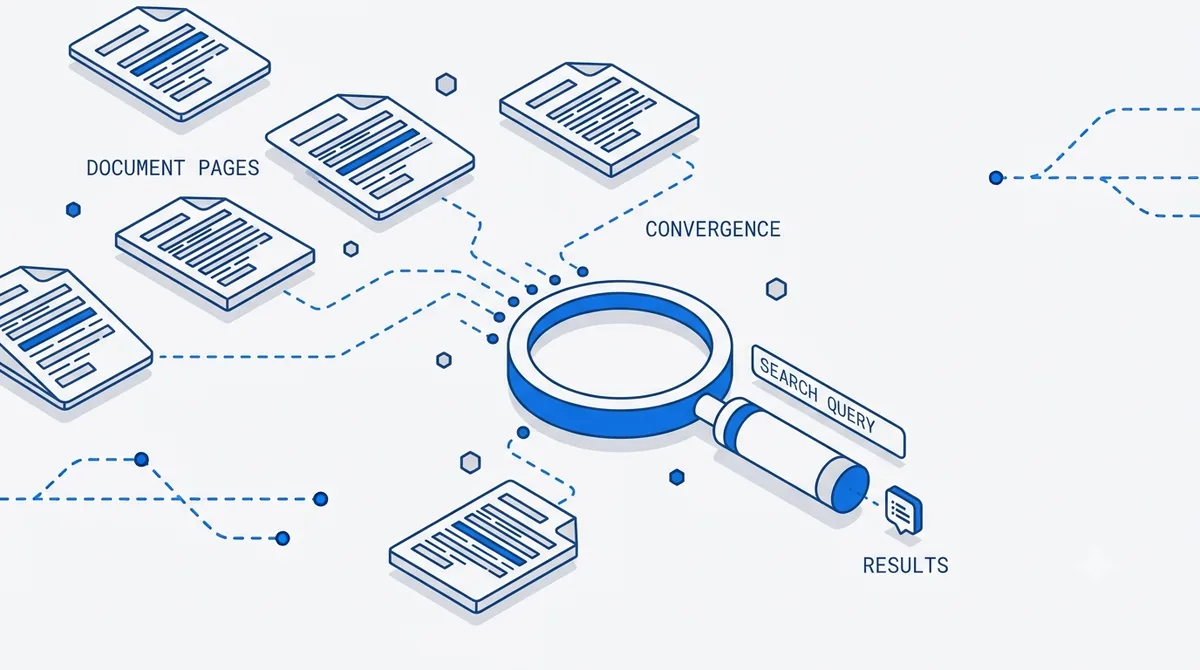
Opening files one at a time is the slowest possible way to answer a question. Multi-document search fixes that by treating your whole library as a single searchable space: you ask one question across all your PDFs at once and get a single, ranked, cited answer.
Why per-file search doesn’t scale
Searching inside one PDF is fine. The trouble starts when the answer could live in any of many files:
- You don’t know which file holds it. Keyword search only helps once you’ve picked the right document — but picking the right document is the problem.
- Keywords miss meaning. Searching “termination clause” won’t surface a page that says “either party may end this agreement.” You need meaning, not string matching.
- Answers are split across files. A number in one report, its definition in another, an exception buried in a third. No single-file search stitches those together.
Multi-document search solves all three by retrieving across the entire set based on meaning, then ranking what it finds.
How workspace search works
When you ask a question across your PDFs, the process runs in three steps:
- Index everything together. Every document in the workspace is chunked and indexed as one searchable body, not as isolated files. Scanned pages are handled too, since OCR recovers their text first — see reading scanned PDFs.
- Retrieve by relevance. Your question is matched against all chunks by meaning, so the most relevant passages surface regardless of which file they live in or what exact words they use.
- Rank and answer. The strongest passages are assembled into one answer, ordered by relevance rather than by file order or upload date.
The result: one question, your whole library, one answer.
Every answer carries its source
Speed is worthless if you can’t trust the result. Multi-document search returns page-level citations for each claim, telling you exactly which document and which page a snippet came from.
That matters most when the answer draws on several files at once. You can see that the definition came from the policy PDF, the figure from the Q3 report, and the exception from the amendment — and jump straight to each source to verify. If you want the full reasoning behind citations, citations that build trust covers it.
Where it earns its keep
- Legal and contracts. Ask “which of these agreements auto-renew?” across a folder of contracts and get a ranked list with the exact clauses cited.
- Research. Pose one question to a stack of papers and see which studies actually address it. Pair it with the research paper summarizer to go deeper on the winners.
- Operations and finance. Pull a figure that’s scattered across monthly reports, or reconcile numbers that only make sense read together.
- Support and knowledge bases. Turn a pile of manuals into something you can just ask.
A note on privacy
Searching across a library means your documents are often the sensitive kind — contracts, financials, unpublished research. So the mechanics matter. With PDFLove AI, each PDF stays in your browser, stored locally in IndexedDB and never uploaded to a server. To answer a cross-document question, only the text passages needed for that query are sent to the AI provider over an encrypted connection, and none of it is used to train models. More detail in how we keep your PDFs private.
Common questions
How many documents can I search at once? Enough to cover real work — dozens of files in a workspace. Higher document volumes come with Pro ($16/mo) and Team ($24/user/mo); the Free plan ($0) covers 3 PDFs per month to try it out, and Enterprise is custom.
Does it search scanned PDFs too? Yes. Scanned and image-only pages are run through OCR (90+ languages) first, so their text is included in the same search as native PDFs.
Can I tell which document an answer came from? Always. Every answer includes page-level citations naming the specific file and page, so you can verify each part of a multi-source answer.
Is this better than searching each file in a reader? For “which file has this?” questions, dramatically — you ask once across everything instead of opening files one by one, and results come back ranked by relevance.
Get started
Stop opening files one at a time. Load your library into PDFLove AI and ask one question across every PDF — you’ll get a single ranked answer with a citation for every source.
Written by
Sam Okafor
Product, PDFLove AI
Sam writes about document workflows and retrieval-augmented answering. He works on how PDFLove AI turns messy PDFs into cited answers people can trust.